Gameplay
KeyCapy Workshop, Seasons and Desk Decorations Explained
Your KeyCapy workshop changes with time, seasons and weather and you decorate the desk. What the developer says and what official screenshots show on the desk.
The workshop is a desk
KeyCapy takes place at a workbench. Most of the official screenshots look down at a desk with a keyboard, a monitor and a clutter of things around it. The developer lists a Workspace feature, where you decorate and customize the desk, and says that the arrangement is up to you. New decorations unlock over time, and the Steam text names desk mats, monitors, plants and lamps.
| Question | Answer | Label | Where it comes from |
|---|---|---|---|
| Can you arrange the desk yourself? | Yes, the layout is yours | Official | Steam page |
| What unlocks | Desk mats, monitors, plants, lamps | Official | Steam page |
| Do clients bring decorations? | Some give them as rewards | Official | Steam page |
| How many decorations exist | No count published | Not announced | None |
| Can furniture be moved around the room | Not described | Not announced | None |
Day and Seasons
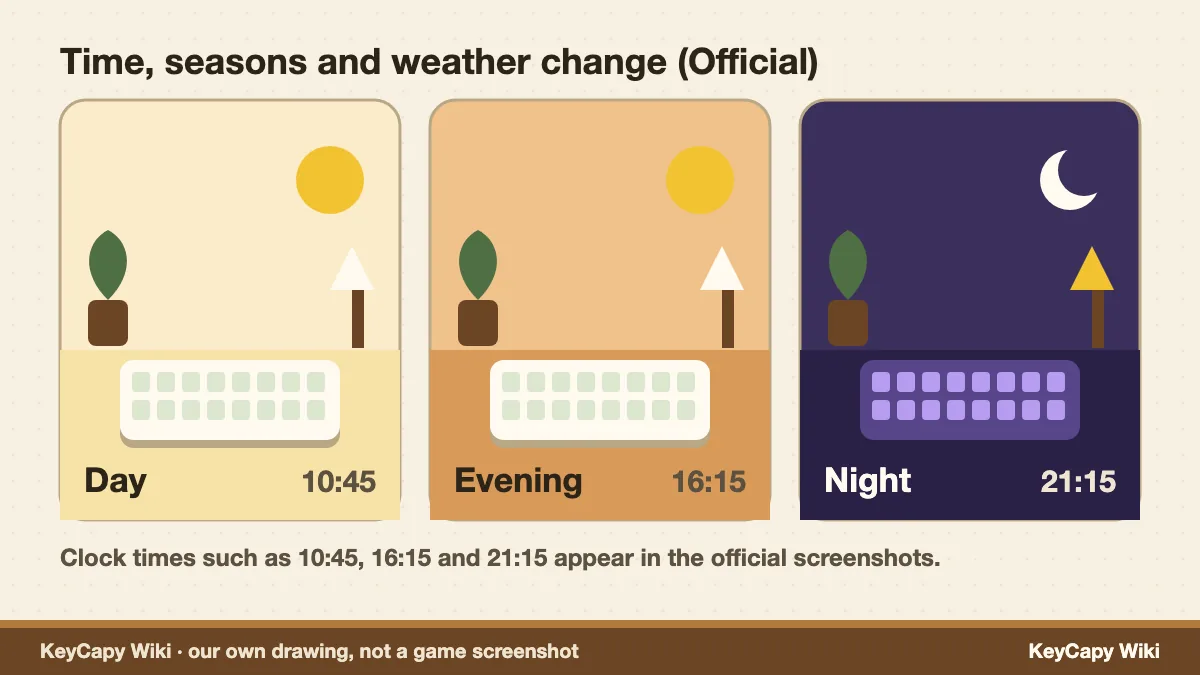
The developer lists Day and Seasons as a feature: time, seasons and weather change. Official screenshots back that up with three different looks of the same kind of desk, one in daylight, one in a warm evening glow and one at night with neon colors. The upper right corner of the screen shows a clock and a money counter. Times seen include 10:45, 16:15 and 21:15 in different images.
What the developer has not said is whether the clock limits your day, whether the weather changes orders or prices, or what each season changes. We record the clock and the light because they are visible, and we do not describe the rules behind them.
| Question | Answer | Label | Where it comes from |
|---|---|---|---|
| Does time of day change? | Yes | Official | Steam page |
| Do seasons and weather change? | Yes | Official | Steam page |
| Daylight, evening and night looks | Visible in screenshots | Seen | Official screenshots |
| A clock and a money counter at the top right | Visible in screenshots | Seen | Official screenshots |
| What each season changes | Not described | Not announced | None |
What is on the desk
The props make the room readable. In the screenshots you can spot a wooden sorting box full of colored switches, tweezers and a keycap puller, a round tin labeled KEYCAPY LUBE, three candles, an arched monitor, speakers, a cloud-shaped lamp and wrist rest, a gamepad, a plant in a pot with flowers and a capybara mug. A few books are parodies, with titles such as Lord of the Clicks, Les Capybarables, Blade Typer 2026 and Love at First Click. A notebook marked Orders sits on the desk and a Messages app is open on the screen, which is where clients talk to you in the images. See the capybara clients page.
Camera frame
One screenshot shows a camera viewfinder frame with a shutter button. The Steam page does not mention a photo mode, and the developer has not confirmed what the frame is for. It is listed here as Seen and the mode itself is Not announced.
Related pages
The workshop is where building keyboards happens, and the screenshots page lists every official image with what it shows.
Frequently asked questions
Does KeyCapy have seasons and weather?
Yes, according to the developer: time, seasons and weather change. How they affect orders or the shop has not been described.
Can you decorate your desk in KeyCapy?
Yes. The Workspace feature lets you arrange your desk, and new decorations such as desk mats, monitors, plants and lamps unlock.
Does KeyCapy have a photo mode?
Not announced. One screenshot shows a camera frame and shutter button, but the Steam page does not mention photography.
Do capybara clients give you gifts?
Some may. The developer says clients can reward you for a good relationship, for example with decorations.
Keep reading
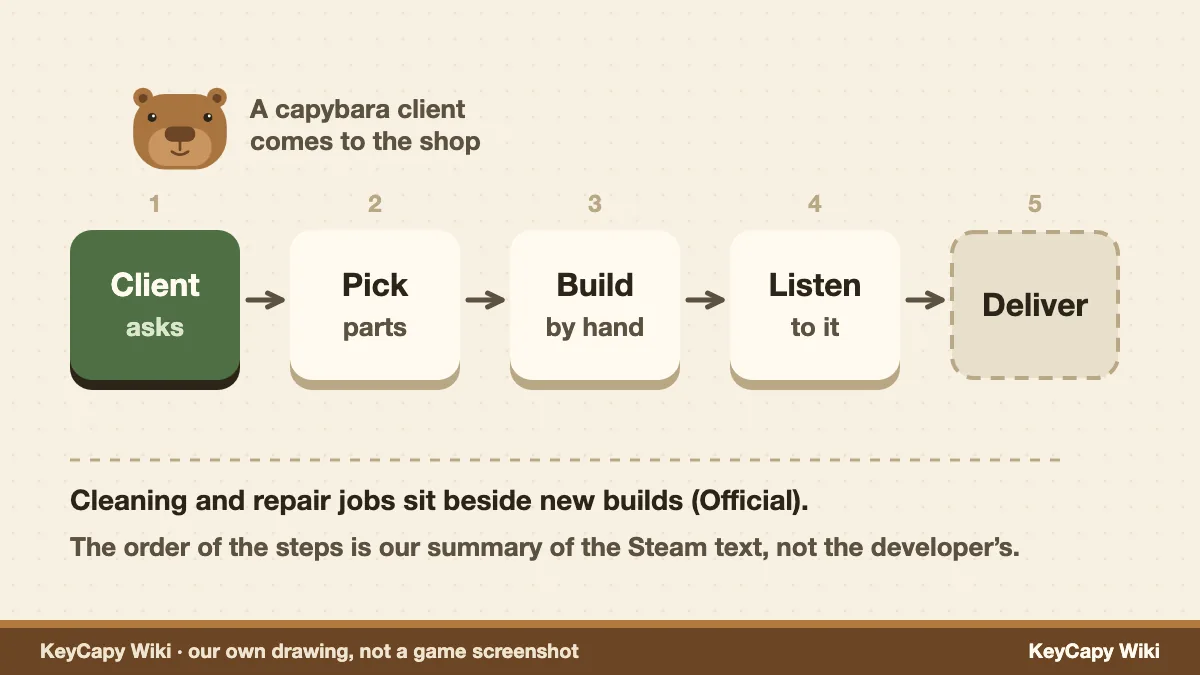 How KeyCapy Plays: A Cozy Keyboard-Building Sim Explained
The eight features the developer lists, in plain words, with every unknown marked Not announced.
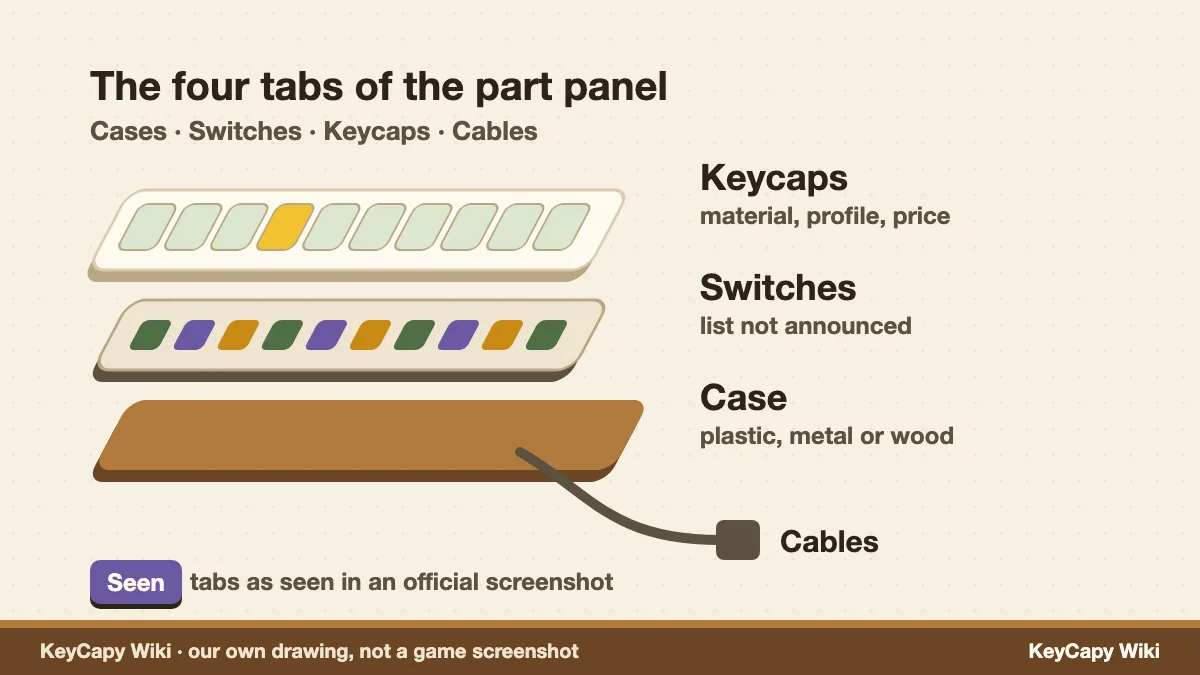 KeyCapy Keyboard Parts: Cases, Switches, Keycaps and Cables
The four part types in the build panel, the case shapes seen so far, and a short keyboard primer clearly marked as background.
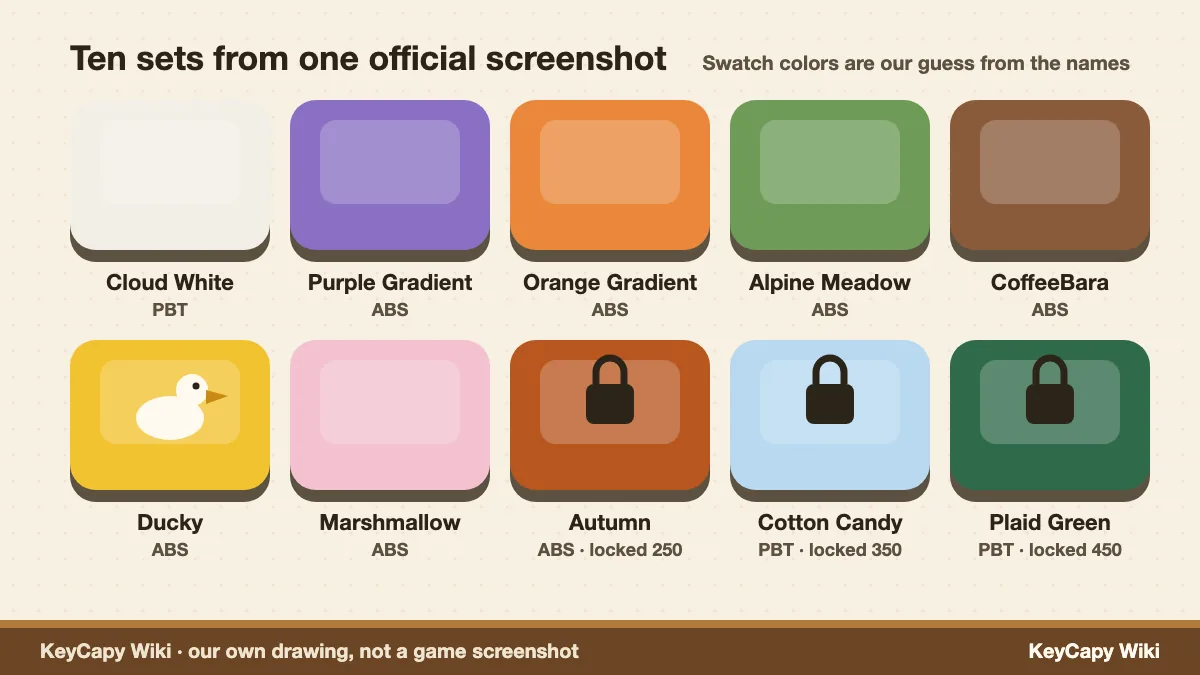 KeyCapy Keycap Sets: 10 Seen So Far, with Material and Price
Ten keycap sets from one official screenshot, with material, profile and price, plus a short PBT and ABS primer.
 KeyCapy Sound and Thock: How Parts Change Keyboard Audio
What the developer says about sound, what thock means to keyboard fans, and the audio options Steam lists.