Gameplay
KeyCapy Keyboard Parts: Cases, Switches, Keycaps and Cables
KeyCapy lets you build keyboards from cases, switches, keycaps and cables. What the developer and official screenshots show for each part, and what is unknown.
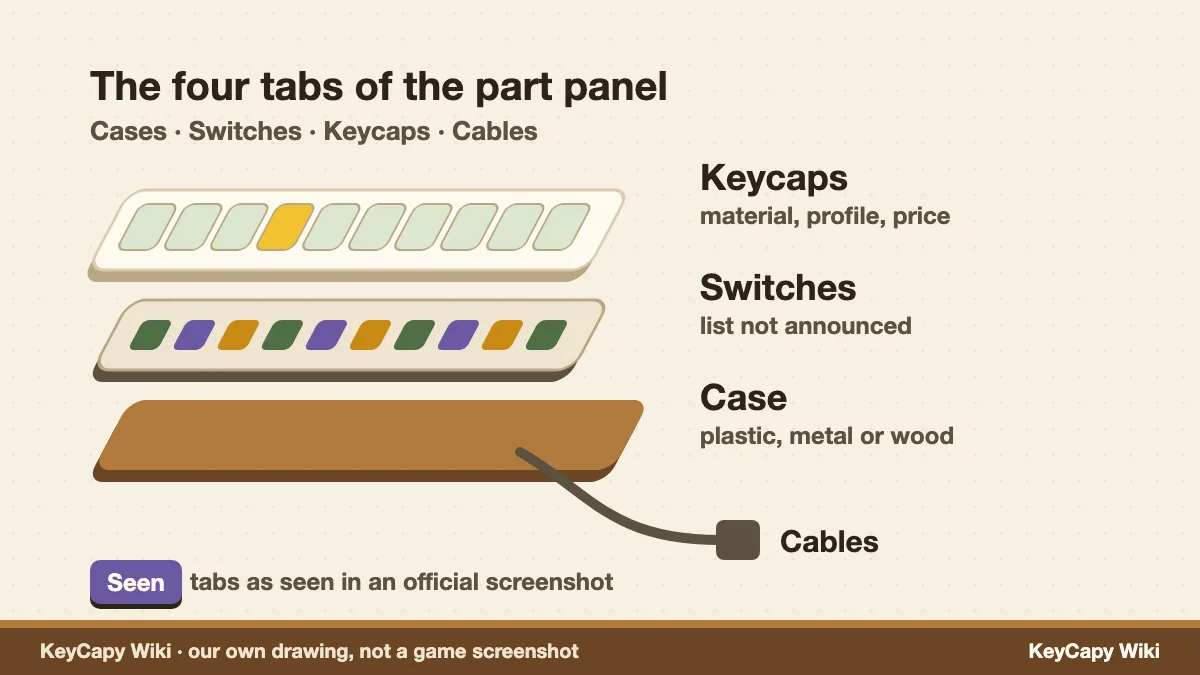
The four part types
Building a keyboard is the heart of KeyCapy. The Steam page says you choose the case, the switches and the keycaps so that every keyboard has the right sound. An official screenshot of the part panel shows four tabs: Cases, Switches, Keycaps and Cables. The developer also lists Custom Builds as a feature, meaning many parts, layouts and keycap profiles, and Tactile Building, meaning you place each part by hand.
| Part | What is known | Label | Where it comes from |
|---|---|---|---|
| Cases | Plastic, metal or wood affects the sound | Official | Steam page |
| Switches | Chosen by the player; changes the sound | Official | Steam page |
| Keycaps | Sets with material, profile and a price per keycap | Seen | Official screenshot of the keycap panel |
| Cables | A fourth tab in the part panel | Seen | Official screenshot of the part panel |
| Full switch list | No names or types published | Not announced | None |
| Full case list | Only the shapes in screenshots | Not announced | None |
| Layout sizes (60%, 65%, and so on) | Not named by the developer | Not announced | None |
Cases we have seen
The screenshots show a handful of different cases. These are what is visible in official images, and the game may change before release.
| Case in the image | Label | Where it comes from |
|---|---|---|
| Full-size case shaped like a cloud, with a smiling face | Seen | Official screenshot |
| Wave-shaped ergonomic split keyboard | Seen | Official screenshot |
| Compact keyboard with a wooden case | Seen | Official screenshot |
| Full-size keyboard with a number pad | Seen | Official screenshots |
| A separate small number pad | Seen | Official screenshot |
We do not attach layout names such as 65% to these boards, because the developer has not done so and counting keys from a screenshot is not a reliable way to name a layout.
What switches are, as background
This section is general keyboard knowledge and is not a KeyCapy fact. A switch is the mechanism under each key. Linear switches go straight down, tactile switches have a bump you can feel, and clicky switches add an audible click. Keyboard people also talk about how a case, a plate and the keycap material change the sound. Those are the ideas the developer builds on. KeyCapy has not said which switch types it includes, and whether it uses these standard categories is not announced. Read sound and thock for what the developer says about sound.
Tools and extras
The desk in screenshots holds a wooden sorting box full of colored switches, tweezers and what looks like a keycap puller, and a small round tin labeled KEYCAPY LUBE. They are visible props. The Steam page does not say whether lubing switches is a mechanic, so we do not claim it is.
Where to go next
The keycap panel is the most detailed thing we have seen, and it has its own page: keycap sets. For how parts fit into the rest of the game, see how KeyCapy plays.
Frequently asked questions
What parts can you use in KeyCapy?
The build panel in official screenshots has four tabs: Cases, Switches, Keycaps and Cables. The Steam text also mentions many parts, layouts and keycap profiles.
Which switches are in KeyCapy?
Not announced. No official source lists switch names or types yet, so there is no verified list of linear, tactile or clicky options.
Can you build any keyboard layout in KeyCapy?
The developer says builds use different layouts, but has not published which ones. Screenshots show full-size boards, a split board, a compact board and a separate number pad.
Do keyboard parts change the sound in KeyCapy?
Yes, according to the developer. Switches, keycap material and the case material (plastic, metal or wood) all change how a board sounds.
Keep reading
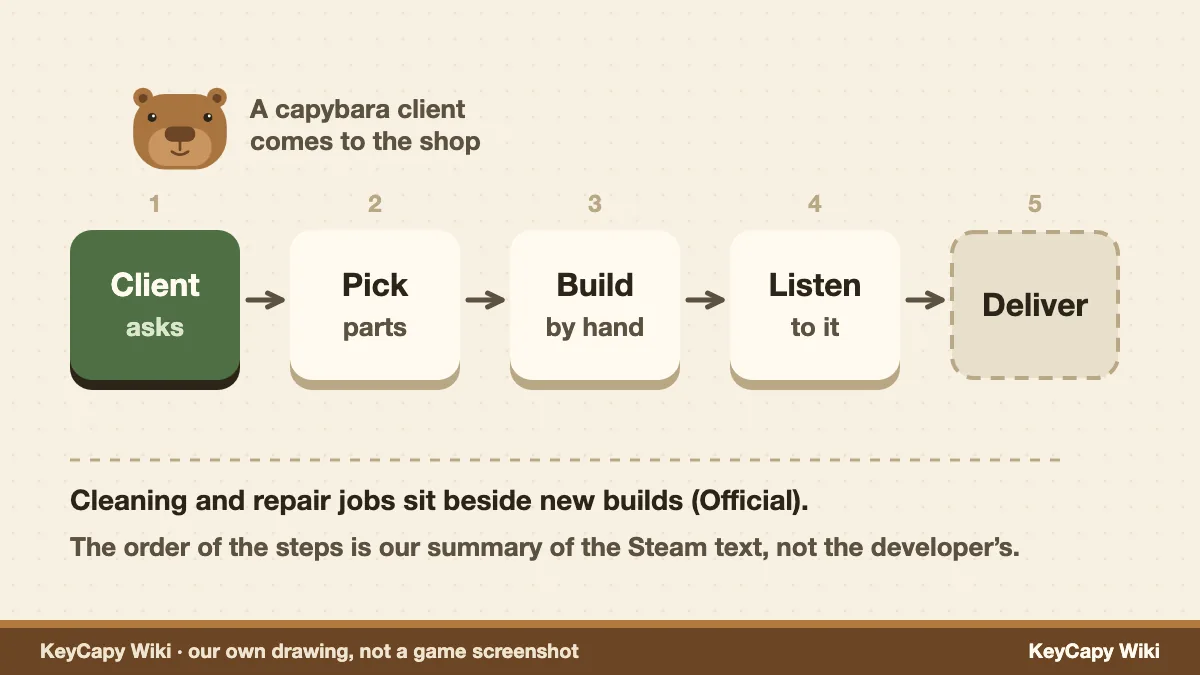 How KeyCapy Plays: A Cozy Keyboard-Building Sim Explained
The eight features the developer lists, in plain words, with every unknown marked Not announced.
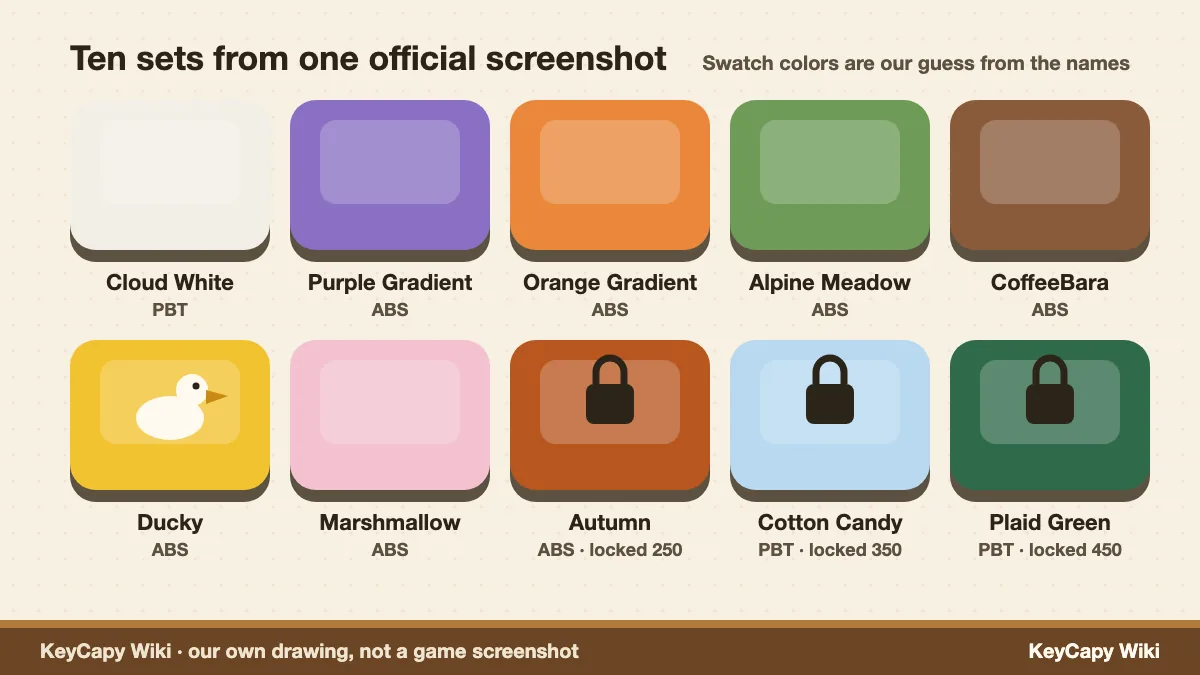 KeyCapy Keycap Sets: 10 Seen So Far, with Material and Price
Ten keycap sets from one official screenshot, with material, profile and price, plus a short PBT and ABS primer.
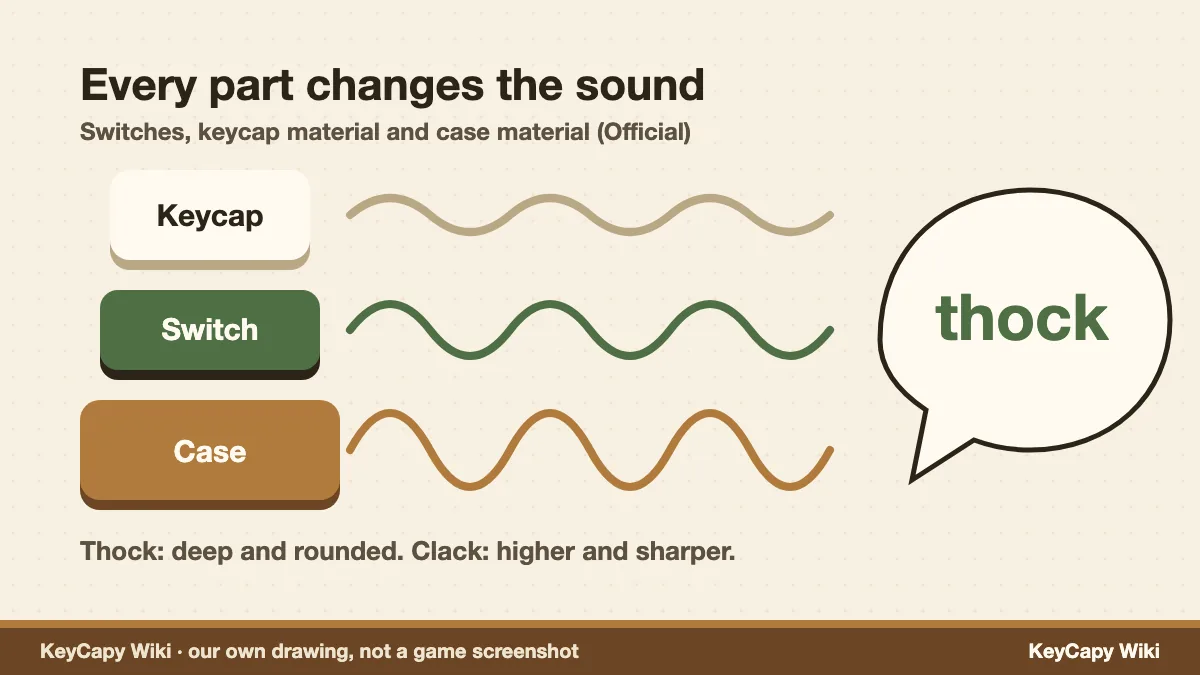 KeyCapy Sound and Thock: How Parts Change Keyboard Audio
What the developer says about sound, what thock means to keyboard fans, and the audio options Steam lists.
 KeyCapy Workshop, Seasons and Desk Decorations Explained
The workshop desk, the day and seasons feature, unlockable decorations and the props visible in official screenshots.